Inventory, meals, and shopping — together
From storeroom to supper, without the guesswork.
Track food across pantries, fridges, and freezers. Plan breakfast, lunch, and dinner for the week. Manage the food you have and plan your shopping trips in a single place.

Core features
Three parts of one kitchen system
Storeroom is organized the way you cook and shop: plan meals, run store trips, and keep every shelf honest — without juggling apps.
Meals
Turn “what’s for dinner?” into a plan you can actually keep.
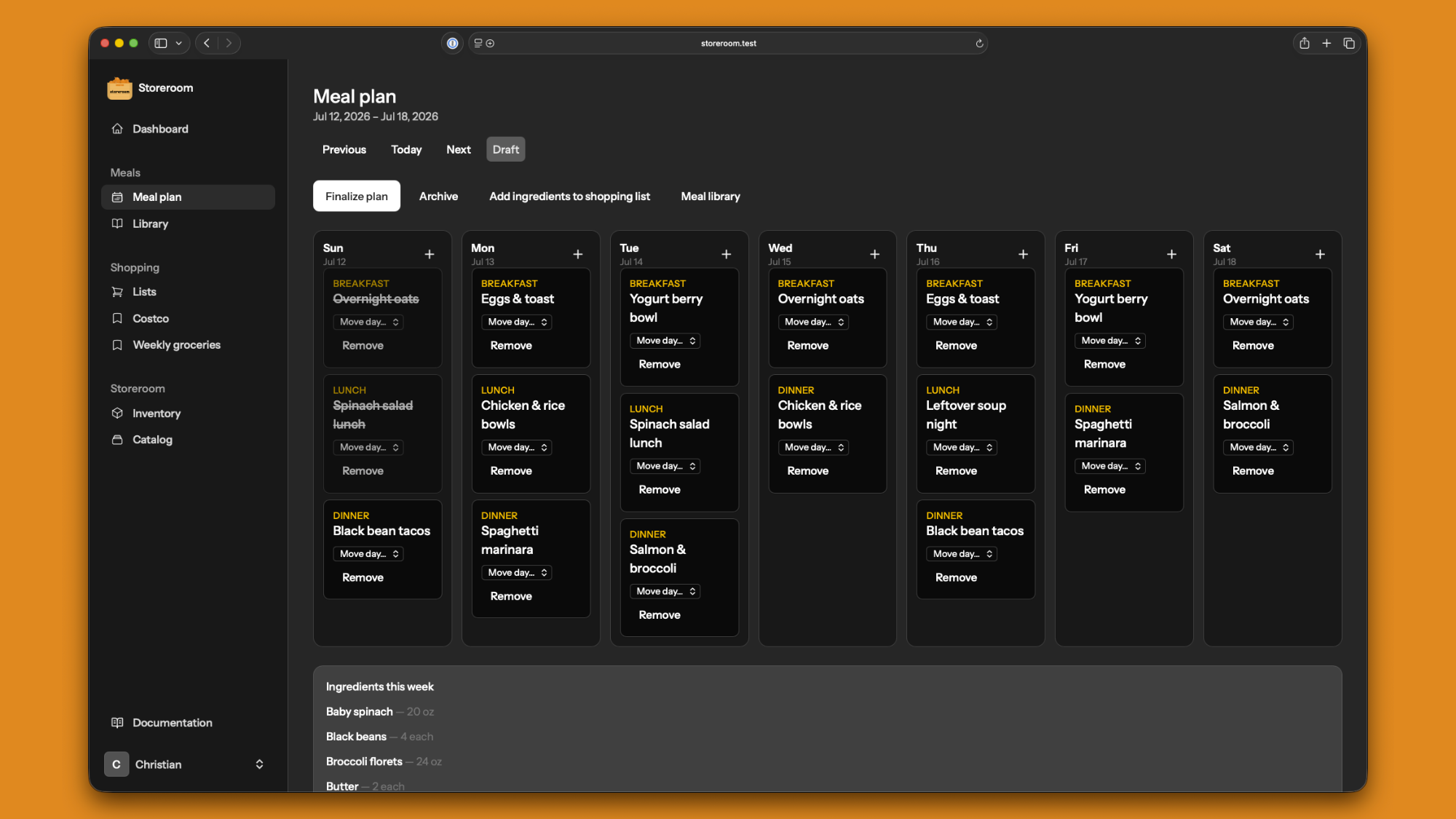
- Sunday-start weekly planner for breakfast, lunch, and dinner
- Reusable cookbook with ingredients
- Move or reorder meals as the week shifts
- Export ingredients to a shopping list
- Optionally deduct inventory when a meal is complete
Shopping
Shop by store, not from a single overloaded list.
- Separate lists for Costco, grocery, and everywhere else
- Import low-stock items when you are ready to buy
- Check items off and clear finished trips
- Pin favorites to the sidebar for one-tap access
- Archive lists you no longer need
Storeroom
Know what you have, where it lives, and what needs attention.
- Live inventory across pantries, fridges, and freezers
- Catalog with barcodes, shelf life, and photos
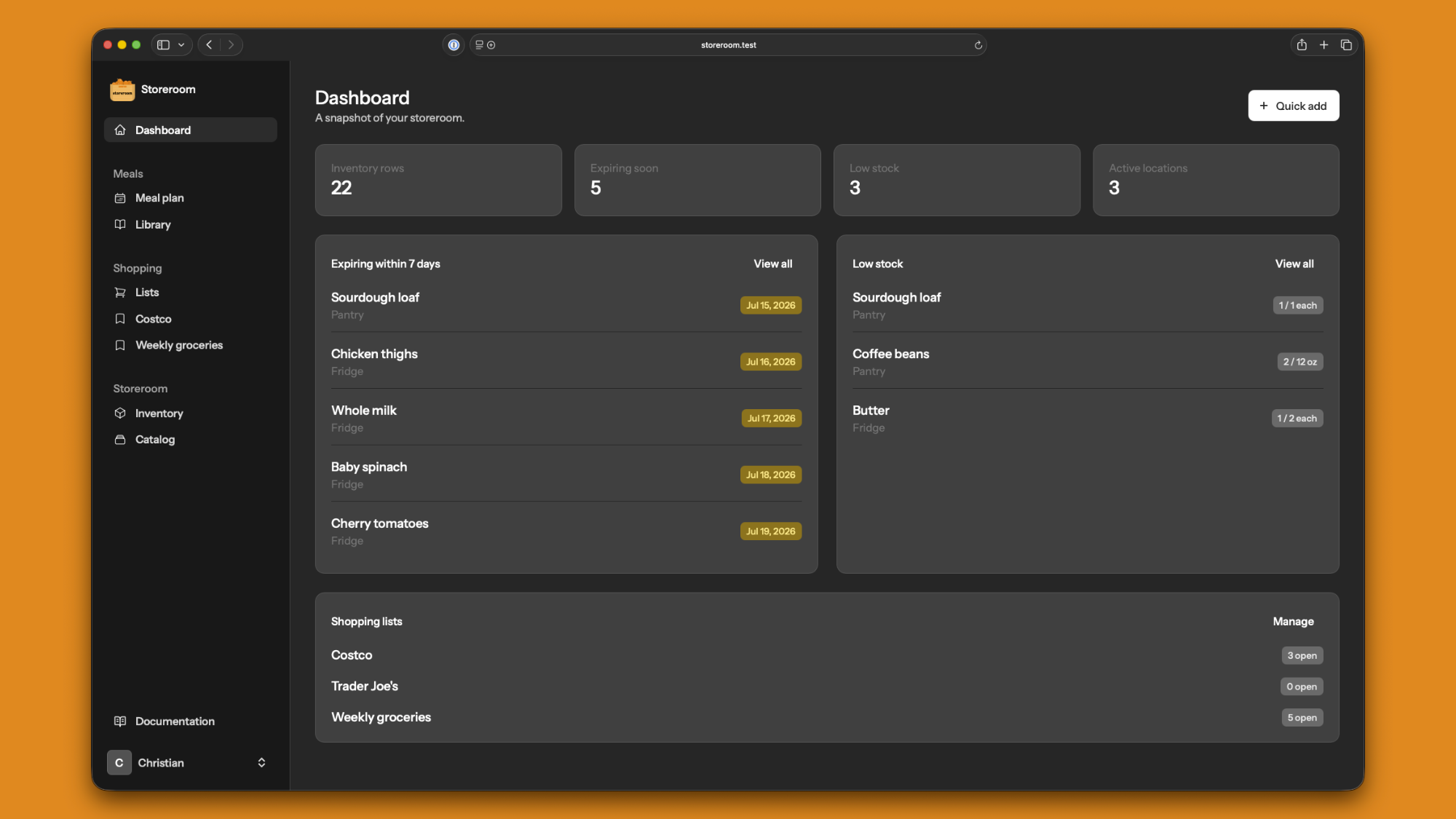
- Expiration and low-stock alerts on the dashboard
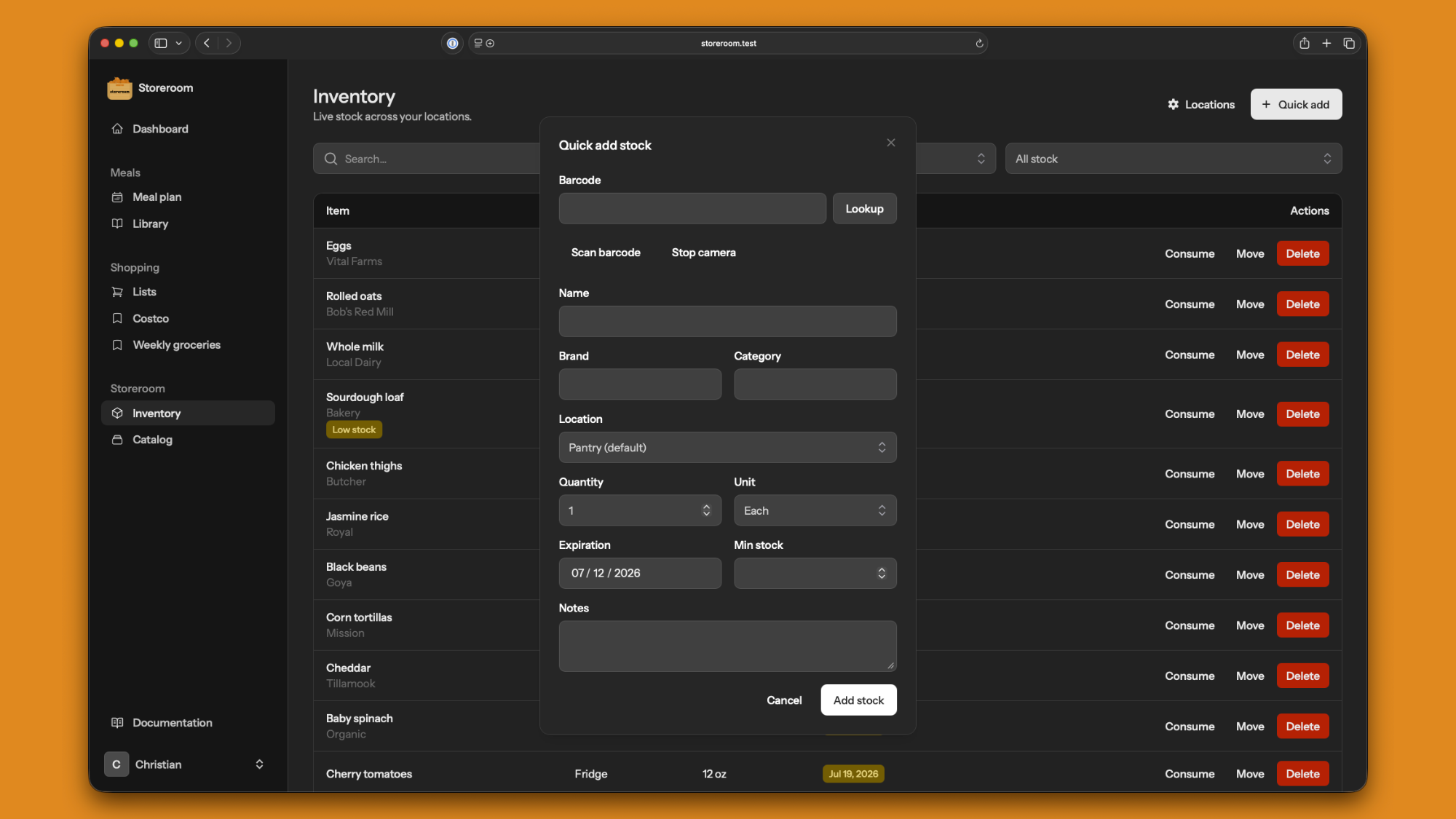
- Quick Add with barcode lookup and default locations
- Locations managed under inventory settings
Everything you need to stop guessing
Storeroom covers the full loop: meal planning, shopping, and keeping track of what you already have.
Meal planning
Plan breakfast, lunch, and dinner on a Sunday-start week. Drag meals between days, carry leftovers to next week, and finish the plan into a checklist.
Cookbook
Save reusable meals with ingredients once, then drop them onto any day of the plan.
Cook & restock loop
Mark meals complete to deduct ingredients from inventory — or restore them if plans change.
Inventory tracking
Quantities and units across locations. Consume what you use, move stock, and filter expiring or low items.
Multiple locations
Pantry, fridge, freezer, garage shelf — managed under Inventory settings with a default for Quick Add.
Food catalog
Master products with brand, category, shelf life, barcodes, and notes inventory always links to.
Expiration & low-stock alerts
Dashboard cards and filters so nothing sneaks past its date or runs out quietly.
Pinned shopping lists
One list per store. Import low stock, check items off, pin favorites to the sidebar, and archive what you are done with.
Barcode scanning
Scan with your camera or type a UPC. We look up products so you type less.
Photos
Multiple images on catalog items and stock rows — optional copy to the catalog when you snap a jar.
Quick Add
Add stock from the dashboard or inventory with barcode lookup and your default location preselected.
AI assistant ready
Connect agents via MCP so helpers can list inventory, add stock, and draft shopping lists for you.
Plan the week
Breakfast, lunch, and dinner — Sunday through Saturday
Build a reusable cookbook, drop meals onto the plan, reorder within a day, or move them to another day. Export ingredients to a shopping list, then optionally deduct stock when you mark a meal complete.
Stay ahead of waste
See what is expiring and what is running low
Your dashboard surfaces expiring stock, low thresholds, and shopping lists in one glance — so meal plans and store runs stay intentional.
Restock without the friction
Scan a barcode. Pick a location. Done.
Quick Add lives on the dashboard and inventory. Default location, barcode lookup, and catalog photos keep stocking the shelves quick after every trip.
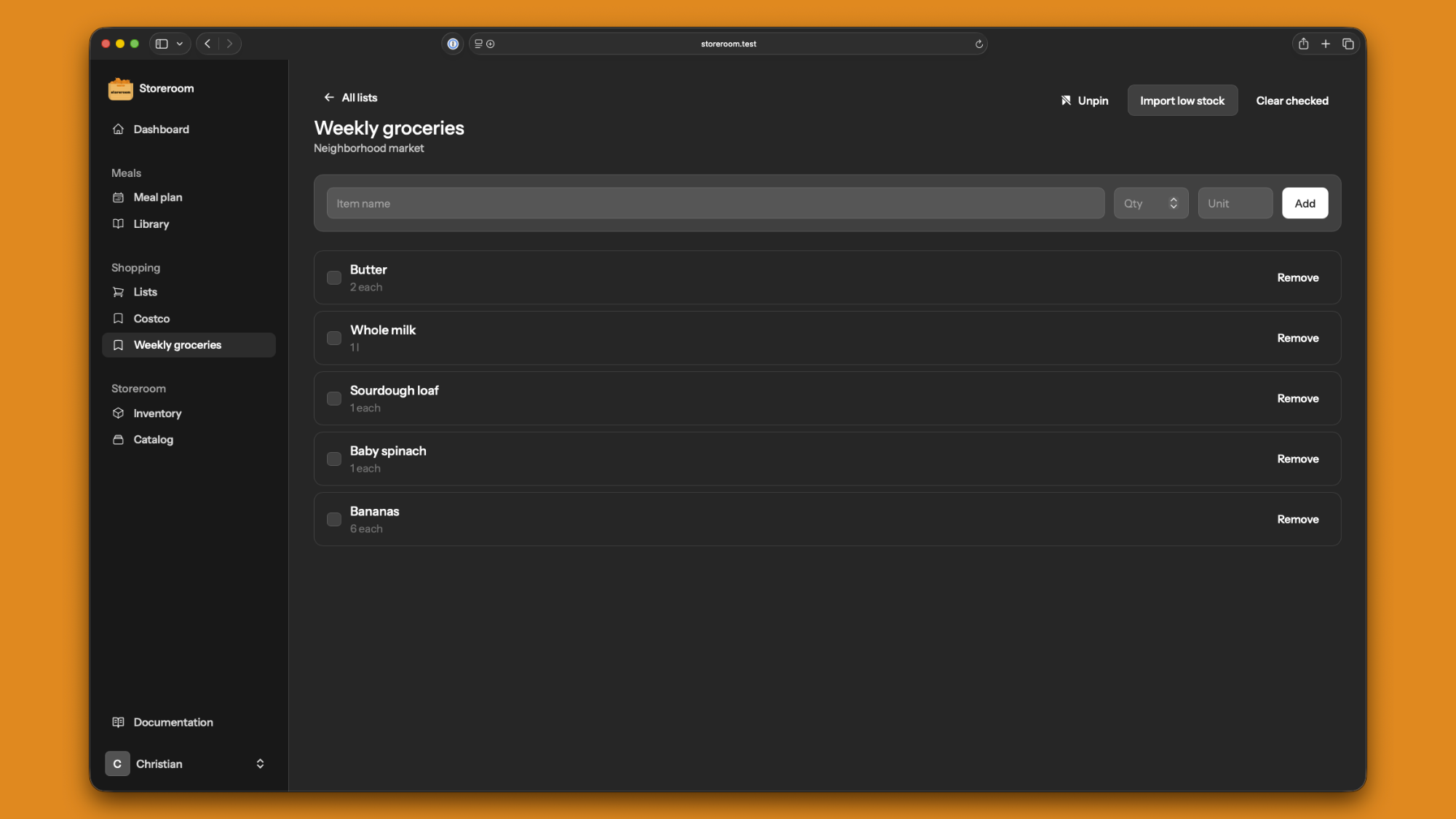
Shop by store
Lists for grocery stores, bulk stores, and the corner shop
Create as many shopping lists as you need. Import low-stock items, check them off as you go, and pin favorites under Shopping in the sidebar so your go-to stores are always one click away.
How it works
From empty shelves to a planned week in a few minutes.
-
1
Stock the storeroom
Add locations, Quick Add by name or barcode, and set quantities and dates.
-
2
Build a cookbook
Save meals with ingredients once so planning the week is drag-and-drop simple.
-
3
Plan breakfast to dinner
Fill the Sunday-start week, export what you need, and adjust days as plans change.
-
4
Shop and cook
Pin store lists, check items off, and optionally deduct inventory when meals are done.
Pricing
We are finishing plans that stay fair for shared kitchens and power users alike.
Coming soon
Paid plans are on the way. Create a free account today and keep tracking your kitchen, meals, and lists while we cook up pricing.
Ready to plan the week from what you already have?
Join Storeroom — stock the shelves, plan the meals, pin the lists, and waste less.